A digital detox wellness routine reducing screen time is a planned set of limits on phone, laptop and TV use that you build over about four weeks, then maintain. It is not a weekend cabin trip or a phone you toss in the North Saskatchewan. By the end of this guide, you will know how to measure your current use, set up your phone and home, build screen-free blocks into your day, fill the gap with Edmonton options, and keep it going through the dark months. Clocks go back on November 1, sunset drops to roughly 4:30 p.m. by December, and that is exactly when screen hours climb. Starting now gives you a head start.
Last reviewed:
What a Digital Detox Wellness Routine Actually Is

Most people hear "digital detox" and picture a dramatic all-or-nothing reset. That version rarely lasts. The version that works is smaller, more boring and more repeatable. You pick specific times and places where screens do not belong, and you protect them.
Detox Versus Reduction
A detox is a short, full break from non-essential screens. A reduction is a lasting cut in daily hours. A good routine uses both. You reduce daily use by 20 to 30 percent over four weeks, and you add one longer detox block each week, usually half a day on the weekend.
How To Track Wellness Habits That Actually Stick covers this in more detail.
The difference matters because a pure detox leaves you with a rebound. You go screen-free for 48 hours, then spend Monday catching up on everything. A reduction with built-in breaks avoids that spike.
Why October Is a Smart Time to Start
Fall is the last stretch where the river valley is easy to enjoy. Trails are dry, the leaves are mostly down but the light is still decent, and you can walk at 5 p.m. without a headlamp. Once the first -25°C cold snap hits, the couch and the phone win by default. Building the habit in October means it is already running when winter makes it harder.
Why Do Wellness Habits Fail And How To Prevent It covers this in more detail.
Edmonton also sits in a high-latitude zone where short winter days affect mood and sleep for many people. Mayo Clinic describes seasonal affective disorder symptoms and causes, including low energy and oversleeping in fall and winter. Screens often become the easy coping tool. That makes this a good time to set up better defaults.
How To Build A Morning Wellness Routine For Beginners covers this in more detail.
What to Expect in the First Two Weeks
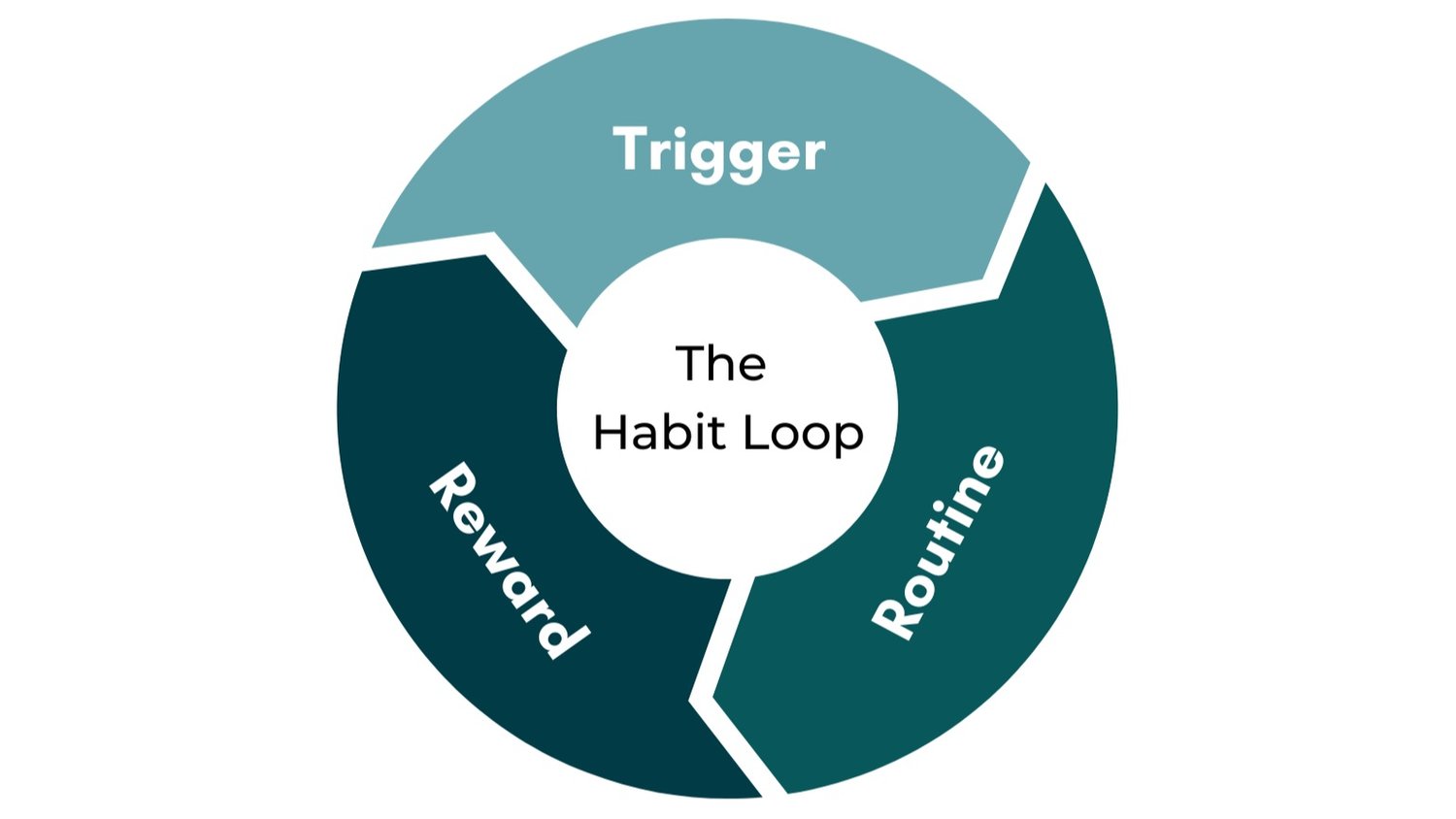
Expect to feel itchy. You will reach for your phone in elevators, at red lights and during the 30 seconds the kettle takes to boil. That is a habit loop, not a character flaw. Most people report the urge fading in 10 to 14 days once the triggers are removed.
Beginner Wellness Routine Checklist For January In Edmonton covers this in more detail.
- Days 1 to 3: Restlessness and phantom checking.
- Days 4 to 7: Boredom, followed by small bursts of focus.
- Days 8 to 14: Easier evenings and, for many people, better sleep onset.
If you have tried and failed before, read why wellness habits fail and how to prevent it first. The same failure points apply here.
Step 1: Measure Your Baseline Before Changing Anything
You cannot cut what you have not counted. Most people guess their screen time and guess low. Spend one full week collecting real numbers before you change a single setting.
Pull the Numbers From Your Phone
On an iPhone, open Settings, then Screen Time. On Android, open Digital Wellbeing. Both show daily totals, app-by-app use and pickups per day. Write down three numbers at the end of each day for seven days:
- Total screen time in hours and minutes.
- Number of pickups.
- Your top three apps by time.
Do not judge the numbers yet. A seven-day average smooths out the one Sunday you watched four hours of Oilers highlights.
Sort Time Into Three Buckets
Not all screen time is equal. Sort it into three categories so you know what to cut and what to keep.
- Required: Work email, banking, transit apps, school portals.
- Chosen: A movie night, a video call with family, a podcast on the walk.
- Automatic: The scroll you do without deciding to. This is your target.
Most people find the automatic bucket is 40 to 60 percent of their total. That is the number that shrinks fastest with the least pain.
Set a Four-Week Target
Pick a realistic goal based on your baseline. If you average 6 hours a day, aim for 4.5 hours by week four. Cut about 20 minutes per day each week, not 90 minutes on day one. Slow cuts stick.
| Current Daily Average | Week 2 Target | Week 4 Target | Pickups Goal |
|---|---|---|---|
| 8 hours | 7 hours | 5.5 to 6 hours | Under 80 |
| 6 hours | 5.25 hours | 4.5 hours | Under 60 |
| 4 hours | 3.5 hours | 3 hours | Under 45 |
Track the weekly totals somewhere simple. A paper calendar on the fridge works. For a fuller method, see how to track wellness habits that actually stick.
Step 2: Set Up Your Phone and Home to Do the Work

Willpower is a weak tool at 10 p.m. Setup is stronger. Spend one hour in week one changing your environment so the easy choice is also the better one.
Run a Notification Audit
Open your notification settings and turn off everything that is not a person or a time-sensitive tool. That means banking alerts and messages from real contacts stay on. Shopping apps, news banners, social media likes and game prompts go off.
A fair target is under 10 apps allowed to interrupt you. Most phones start with 30 or more. Each ping is a small pull toward the screen, and it also resets whatever you were focused on. Fewer pings means fewer pickups.
Rearrange the Home Screen
Move social media and video apps off the first screen and into a folder on the last page. Better still, delete the apps and use the browser version when you actually need it. The extra 15 seconds of friction is enough to stop many automatic opens.
- Switch the display to grayscale after 7 p.m. Colour is part of what makes apps grabby.
- Set app limits for your top three apps. Start with a limit 20 percent below your baseline.
- Put the phone on Do Not Disturb from 9 p.m. to 7 a.m.
Create a Charging Station Outside the Bedroom
This single change does more than any app. Buy a basic alarm clock for $15 to $25 and a charging cable for the hallway, kitchen or living room. The phone sleeps there. You do not.
The CDC’s overview of sleep and sleep health notes that adults need at least 7 hours a night. Bedroom screens cut into that through late-night scrolling and early-morning checking. If you share a bed, the station also stops the glow of a partner’s screen from keeping you up.
If you need a stricter option, a timed lockbox runs about $25 to $45 online. Most people do fine with the hallway outlet.
Step 3: Build Screen-Free Blocks Into Your Day
Now that your environment is set, add three protected blocks. Think of them as fixed appointments. They do not move because something is on sale.
The First 60 Minutes of the Day
Do not touch the phone for the first hour after waking. In an Edmonton January, that hour may start in full darkness, which makes the pull stronger. Fill it with something physical and simple.
- Drink a full glass of water, about 250 mL.
- Open the blinds or step onto the balcony for 2 to 3 minutes of daylight when possible.
- Stretch or do 10 minutes of easy movement.
- Eat breakfast at a table without a screen.
A light therapy lamp rated at 10,000 lux costs roughly $50 to $120 and works well on grey mornings. For the full set of options, read how to build a morning wellness routine for beginners.
The Work Day Rules
If you work from a downtown office, a home desk in Windermere or a coffee shop on 124 Street, the same rules apply. Work is where the required bucket lives, so the goal is to shrink the automatic bucket inside it.
- Check email at set times: 9:30, 12:00 and 3:30 works for many roles.
- Close extra tabs: Keep only what the current task needs.
- Take a real break every 90 minutes: Walk the hallway or step outside for 5 minutes without your phone.
- Eat lunch away from the screen: A 20-minute lunch with no device is a full reset.
If you work near the river valley, a 15-minute loop on the Capital City Recreation Trail or around Kinsmen Park gives you daylight and movement in one move. The City of Edmonton lists current parks, trails and recreation facilities if you want to map a route near your office.
The Last 90 Minutes Before Bed
Screens off at 9 p.m. for an 10:30 p.m. bedtime. The light matters, but so does the content. Email, news and social feeds keep your brain active even with a warm filter on.
Replace the screen with a short, repeatable wind-down:
- Dim the lights to lamp level.
- Do a 10-minute tidy so tomorrow starts easier.
- Read a paper book for 20 to 30 minutes.
- Stretch for 5 minutes or take a warm shower.
A library card from the Edmonton Public Library costs nothing, and most branches have a solid stack of fiction and non-fiction. That removes the cost excuse completely.
Step 4: Fill the Gap With Edmonton Screen-Free Options

Cutting screen time leaves a hole. If you do not fill it on purpose, the phone fills it for you. Pick two or three activities from each list below and put them on your calendar.
Outdoor Options While the Weather Holds
October and early November are the best remaining windows for outdoor time. Use them.
- River valley walks: Cloverdale to Rafters’ Landing, Hawrelak Park loop, or the trails near Terwillegar. Free. Allow 45 to 90 minutes.
- Strathcona Farmers’ Market: Saturday mornings in Old Strathcona. Leave the phone in your pocket and bring cash for small vendors.
- Elk Island National Park: About 45 minutes east of the city, close to Sherwood Park. Day-use needs a Parks Canada pass, and you will want a car.
- Dog walking or neighbourhood loops: Even 20 minutes around the block at dusk counts as a block.
Dress in layers. A good rule from Edmonton fall is to bring a windproof shell even when the forecast looks mild. The wind off the valley cuts through cotton fast.
If wildfire smoke drifts in during late summer or early fall, check the air quality rating before heading out. Health Canada’s page on the Air Quality Health Index explains the scale. On high-risk days, switch to the indoor list.
Indoor Options for Cold and Smoke Days
When the temperature drops to -30°C or the air turns hazy, you need indoor plans that do not involve a screen. Here are practical ones across the city.
- Muttart Conservatory: A warm, green escape in the river valley near Downtown. Admission is roughly $13 to $15 for adults. Free parking on site, and ETS buses run nearby.
- Drop-in yoga or stretch classes: Most studios on Whyte Avenue and along 124 Street charge about $18 to $25 per class. Phones go in a cubby, which is the point.
- Public libraries: Free, warm and quiet. The Stanley A. Milner Library downtown is steps from Churchill LRT station.
- Rec centres and pools: City of Edmonton facilities offer drop-in swims and fitness for a modest fee. Check current City of Edmonton recreation listings for hours and prices.
- Hobby time at home: Puzzles, cooking, knitting or board games cost little and keep hands busy.
West Edmonton Mall is the obvious indoor option, but it is also designed to keep you on your phone and buying things. Use it for a walk or a swim, not for scrolling the food court.
Social Plans Without Screens
Screens often replace social time because meeting up takes effort. Make it easy. Set a standing weekly plan with one or two people and keep it simple.
- A Thursday walk in the river valley with a friend.
- A Sunday potluck with neighbours.
- A weekly board game night at home.
- A phone-in-the-basket rule at dinner.
The stack-your-phones game works. Everyone puts their phone face down in the middle. The first person to grab theirs buys the next round of coffee, which on Whyte Avenue runs about $5 to $6 a cup.
Step 5: Add a Weekly Longer Detox
Once the daily blocks feel normal, add a longer break once a week. the real reset happens, because you get several hours without the background hum of notifications.
The Half-Day Reset
Start with four hours on Saturday or Sunday. Turn the phone off or leave it at home. Tell the people who might need you when you will be back.
- Pick a start time, such as 9 a.m.
- Plan the first 90 minutes, because that is the hardest stretch.
- Carry a paper map, a book or a small notebook.
- Pick one finish point, such as lunch at a favourite spot.
A Saturday morning might look like the Strathcona Farmers’ Market, a slow coffee and a walk along the river valley edge near the High Level Bridge. Parking in Old Strathcona is tight on market days, so take the bus or park a few blocks south and walk.
The Full-Day Detox
After a month, try a full 24 hours. Pick a day with no obligations and no deadlines. Plan meals ahead so you do not need a recipe app or a delivery service. Fill the day with movement, people and one project that uses your hands.
Some people prefer to start at sunset on Friday and finish at sunset on Saturday. That gives you a natural start and end, and it avoids the long, empty stretch of a Sunday afternoon.
The Overnight Option
For a bigger reset, book a night outside the city. Options within a few hours include a cabin near Elk Island, a rented place in the Beaver Hills or a trip west toward Jasper in the off season. Look for a place with weak cell coverage and a wood stove. Costs vary widely, but a basic cabin often runs $120 to $250 per night.
Do not treat the overnight as a cure. It is a tool. The daily habits are what hold the gains.
Step 6: Keep It Going Through an Edmonton Winter

The first month is the easy part. The hard part is February, when the sun sets by 5 p.m., it is -28°C and a screen sounds like the only warm thing in the room. Plan for that now.
Review Your Numbers Every Sunday
Check your weekly average against your target. If you are on track, do nothing. If you are creeping up, find the cause. It is usually one app or one situation, such as a late-night show or a new group chat.
- Write the weekly average on your calendar.
- Note one thing that worked and one thing that slipped.
- Adjust a single setting, not five.
The PubMed database holds research on how smartphone use relates to sleep and mood, and you can search it at PubMed’s biomedical literature search if you want to read the studies directly. Look for peer-reviewed work rather than headlines.
Plan for Slips and Seasonal Dips
You will have bad weeks. A flu, a work deadline or a long weekend in a basement suite can undo your progress. That is normal. The fix is to return to the routine the next day, not to restart the whole plan.
Winter makes this harder, so build a backup version of your routine. Keep it short:
- Phone stays out of the bedroom.
- No screens for the first 30 minutes of the day.
- One 20-minute walk outdoors, even at -20°C.
This minimum version takes almost no effort and holds the line. For a fuller plan, read how to prevent seasonal wellness routine breakdowns in Edmonton.
Use January as a Second Start
Many Edmontonians restart habits in January, and that is a good time to review your detox. Bring your four-week baseline and compare it to your winter numbers. If hours have crept back up, run a mini version of steps 1 and 2 again.
The beginner wellness routine checklist for January in Edmonton pairs well with this guide, especially for sleep, movement and light exposure.
You can also browse local studios, spas and fitness options at Edmonton Wellness Guide to find activities that fit your schedule and budget.
Quick-Reference Checklist
Print this or screenshot it before you switch the phone to grayscale.
- Week 0: Record seven days of screen time, pickups and top three apps.
- Week 1: Audit notifications, move distracting apps, set app limits and set up a hallway charging station.
- Week 2: Add the first-hour rule and a 9 p.m. screens-off time.
- Week 3: Add a four-hour weekend break and one standing social plan.
- Week 4: Compare results to your target and set the next four-week goal.
- Ongoing: Review every Sunday and keep a minimum winter routine ready.
Related Articles
- What Is a Sustainable Habit Loop and How Does It Work: Building Wellness Routines That Stick in Edmonton
- How to Start Yoga at Home in Edmonton: A Winter-Friendly Guide
Sources & References
Find Trusted Wellness Spots in Edmonton
Browse our independent guide to Edmonton’s spas, fitness studios, and wellness services. Local. Honest. Free.
Frequently Asked Questions
How long does it take to reduce screen time by a noticeable amount?
Most people see a clear drop within two weeks once notifications are trimmed and the phone leaves the bedroom. A 20 to 30 percent cut over four weeks is a reasonable target. Track it on your phone’s built-in screen time report so you can see the trend.
Do I need to quit social media completely?
No. A full quit works for some people, but most do better with limits. Delete the apps from your phone, use the browser version for 20 to 30 minutes a day and keep the rest of your time for chosen activities.
What can I do on a -30°C day when I do not want to leave the house?
Keep a short indoor list ready. A library visit, a drop-in yoga class on Whyte Avenue or a walk through the Muttart Conservatory all work. At home, cooking a new recipe from a paper cookbook or finishing a puzzle fills an hour without a screen.
How do I handle a job that requires me to be on a screen all day?
Focus on the automatic bucket, not the required one. Set email check times, take a 5-minute screen break every 90 minutes and eat lunch away from your desk. Then protect your mornings and evenings, where you have the most control.
Will a digital detox actually help my sleep?
Many people sleep better when they stop using screens 60 to 90 minutes before bed and move the phone out of the bedroom. Sleep problems can also come from other causes, so talk to your doctor or check Alberta Health Services if trouble persists beyond a few weeks.